Modifiers
- Model: library + attaching
- Presets
- Creating a group
- Options and "default"
- Shared editing
- Size-dependent pricing (Advanced)
- Per-dish overrides
Model: library + attaching
Modifiers (sizes, add-ons) are a shared library of groups that are attached to dishes:
- A group has a pricing mode and selection rules:
pricing_mode(replace— the option price replaces the dish price;add— a surcharge), a min/max selection and a "required" flag. - An option inside a group carries a price: for
replaceit's the absolute price of that choice, foraddit's a delta (surcharge). - A group is created once and attached to multiple dishes; editing the group changes it on every attached dish at once.
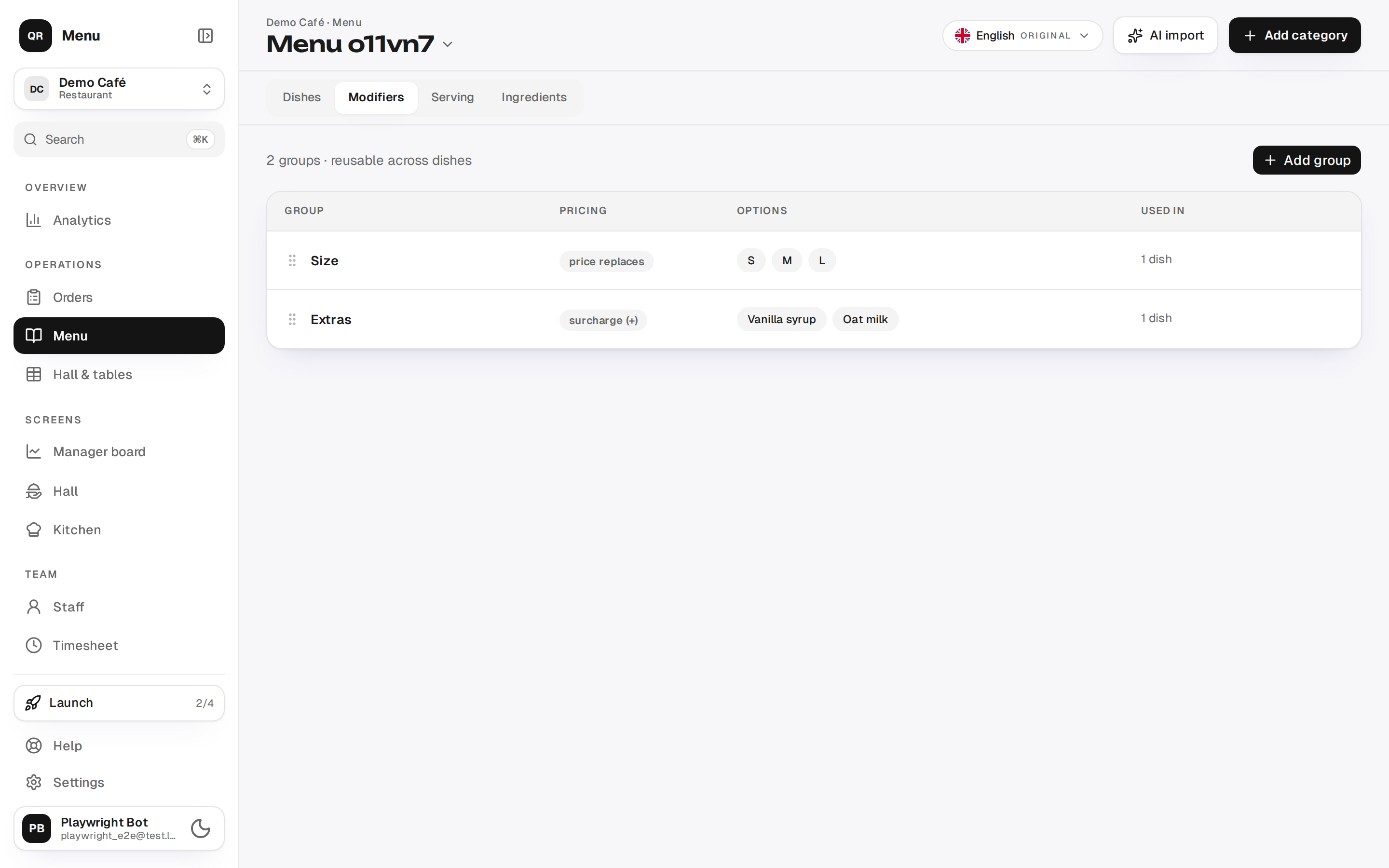
{primary} Editing the group itself (option names, prices) lives ONLY on the Modifiers tab. In the dish editor you only attach groups and set overrides.
Presets
A preset sets pricing_mode + min/max + "required" consistently:
| Preset | Mode | Selection | Behaviour |
|---|---|---|---|
| Pick one · price replaces | replace |
single | min 1, max 1, required — "Size" |
| Pick one · surcharge (+) | add |
single | min 1, max 1, required |
| Any amount · surcharge (+) | add |
multi | min 0, no max — "Extras" |
| Up to N · surcharge (+) | add |
multi | min 0, max N |
Creating a group
On the Modifiers tab → Add group:
- Type the group name (e.g. "Size").
- Pick a preset.
- Fill the options: name and price. For
adda "+" is shown next to the price; leave 0 for no surcharge. Forreplacean empty price means "same as the dish" (the guest sees the dish price), while 0 makes the dish free with that option. - Save.
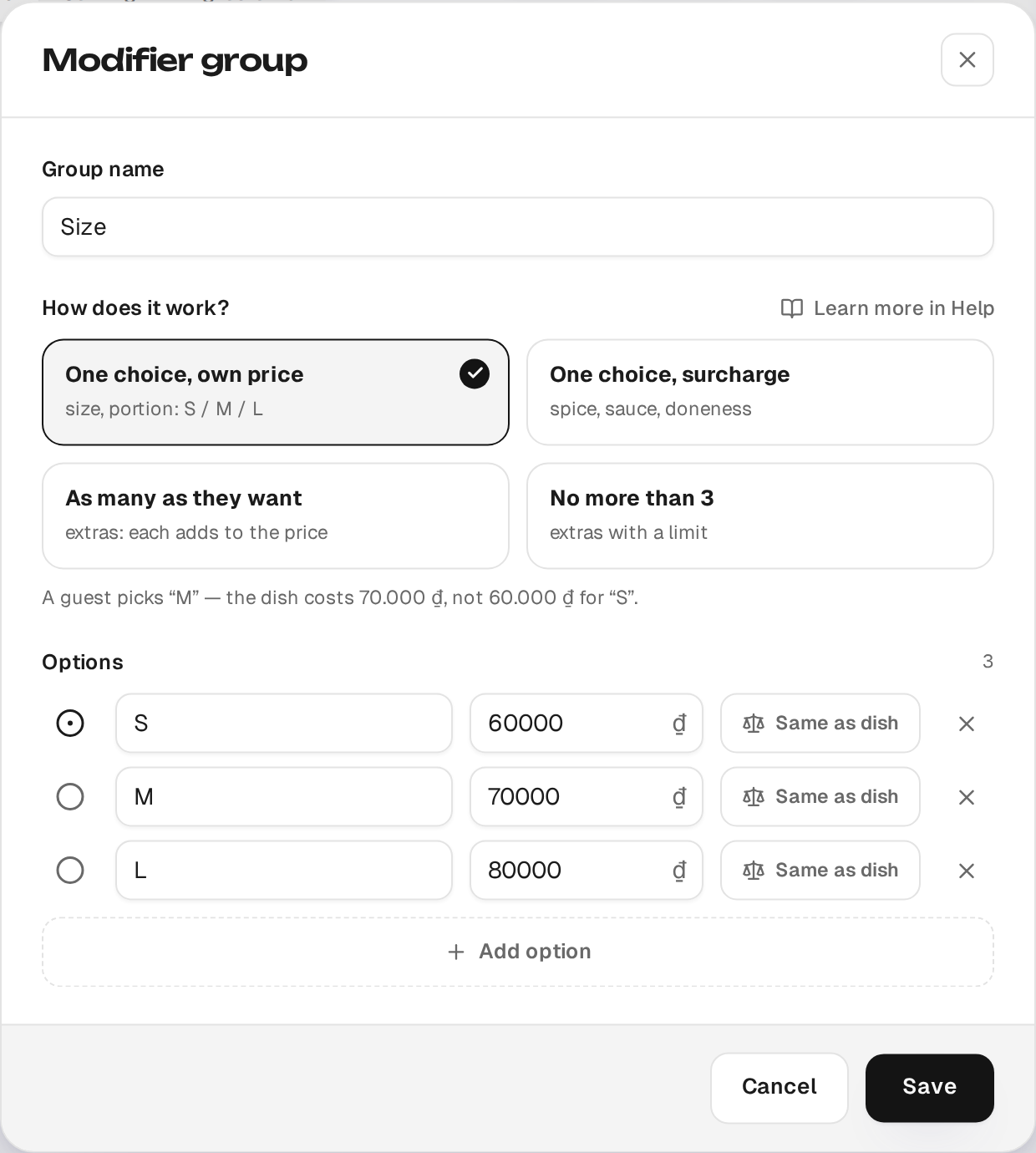
The "in N dishes" counter in the list shows how many dishes use the group. Deleting a group that is in use asks for confirmation and detaches it from those dishes.
Options and "default"
- Add option — adds an option; the last one can't be removed.
- "Default" (only for
replace+ single): marks the pre-selected option. On the guest menu this option is selected on open — otherwise price and validation would be off.
Shared editing
A group is shared. Changing an option's price in the library changes it on every dish the group is attached to. This is verifiable on the guest menu: editing the "S" price is reflected in the size chip of each such dish.
Size-dependent pricing (Advanced)
Sometimes an add-on costs differently depending on the size. This is configured
in the "Advanced" block of an add group:
- Open the
addgroup (e.g. "Extras") and expand "Advanced". - Enable "Price depends on another group" and pick the driver group (a single-select one, usually "Size").
- Fill the grid: the price of each option for each size.
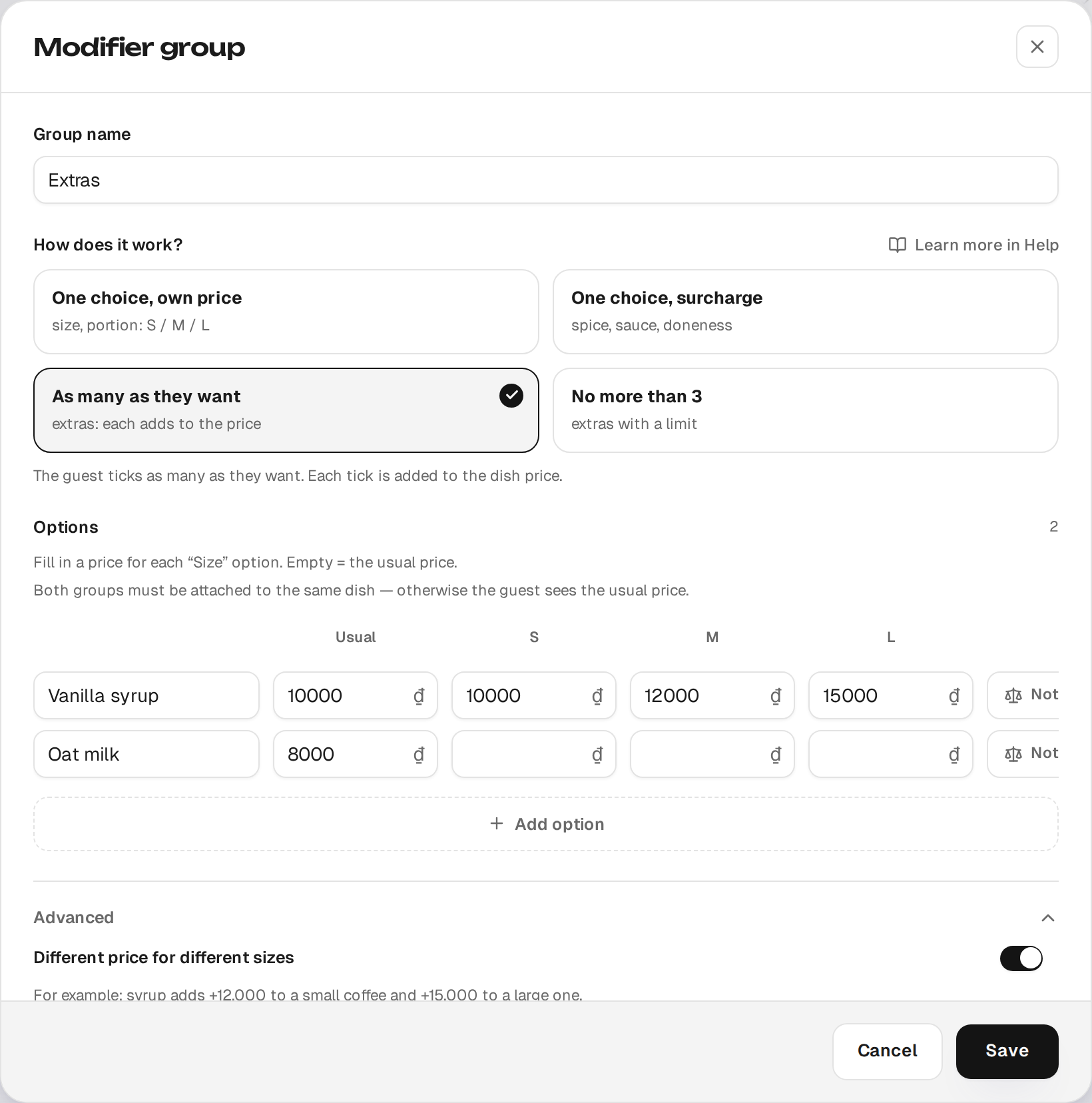
On the guest menu, picking a size changes the add-on delta and the total per the grid.
{info} An empty grid cell = the option's base price (the “Usual” column); if no driver size is chosen, it also falls back to the base price. To make an add-on free for one size, enter 0 in that cell — an empty cell is not a zero.
Per-dish overrides
A group is shared, but its rules can be overridden for a specific dish — in the dish editor, the Modifiers section:
- Attach/detach a group (toggle). Attaching doesn't change the shared group — other dishes are not affected.
- Required, Min, Max — overrides for this dish only.
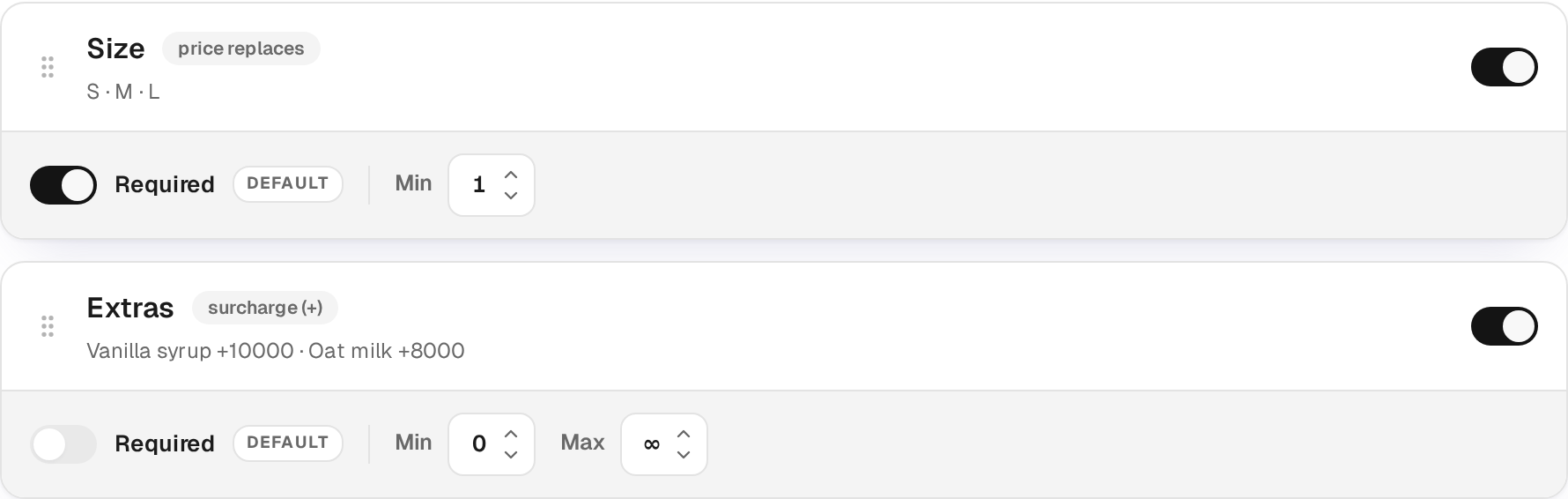
{success} Important (required ↔ minimum): on the guest menu
selection_minis authoritative. Unchecking "Required" for a group on a dish sets the minimum to 0 — and the "Add" button stops being blocked. Re-checking it blocks again until a choice is made.
A min/max override applies to this dish only; another dish with the same group uses the group's own values.